
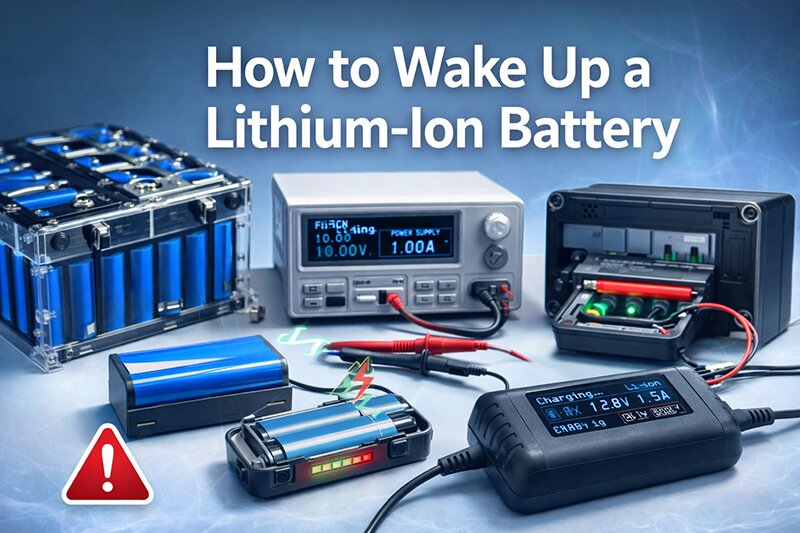
Lithium-ion batteries are widely used in modern electronics, including laptops, power tools, electric vehicles, UPS systems, and portable devices. However, sometimes a lithium-ion battery may appear completely dead and refuse to charge. In many cases, this happens because the battery has entered a protective low-voltage state. This guide explains how to safely wake up a lithium-ion battery, why it happens, and what precautions you should take.
Why Lithium-Ion Batteries Go Into Sleep Mode
Lithium-ion batteries contain a built-in protection circuit designed to prevent damage caused by over-discharge, overcharging, or short circuits. When the battery voltage drops below a safe threshold (usually around 2.5V–3.0V per cell), the protection circuit disconnects the battery from the device and charger.
This safety mechanism places the battery into what is commonly called a “sleep mode” or “deep discharge protection state.” When this occurs, a normal charger may not detect the battery and therefore will not start charging.
Common reasons include:
- Battery stored for a long time without charging
- Deep discharge from excessive use
- Faulty charger or device
- Extreme temperatures
- Battery aging or internal damage
Signs Your Lithium-Ion Battery Is in Deep Discharge
You may need to wake up a lithium-ion battery if you notice the following symptoms:
- The device does not power on
- The charger shows no charging indicator
- The battery voltage measures extremely low
- The device only works when plugged in
- The battery was unused for several months or years
Safe Methods to Wake Up a Lithium-Ion Battery
Before attempting any method, ensure the battery is not swollen, leaking, or physically damaged. If the battery shows any physical defects, it should be replaced immediately.
1. Use the Original Charger
Sometimes the simplest solution works best. Connect the battery to its original charger and leave it connected for 30–60 minutes. Certain smart chargers will slowly apply a trickle charge to bring the battery voltage back to a safe level before normal charging begins.
This method is commonly effective for:
- Laptop batteries
- Power tool batteries
- Electric bike batteries
- UPS lithium battery packs
2. Try a Smart Lithium Battery Charger
A smart charger designed for lithium batteries can detect low-voltage cells and provide a controlled recovery charge. These chargers typically include:
- Low-voltage activation mode
- Trickle charging function
- Automatic voltage detection
- Battery protection monitoring
This is one of the safest methods because the charger regulates the current and voltage automatically.
3. Parallel Charging With a Healthy Battery
In some cases, a lithium battery can be briefly connected in parallel with a healthy battery of the same voltage. This allows a small current to flow into the deeply discharged battery, raising its voltage enough for the charger to recognize it.
Important safety notes:
- The batteries must have the same voltage rating
- Only connect them briefly (a few seconds)
- Monitor for heat or abnormal behavior
- Disconnect immediately if anything unusual occurs
This method is often used by experienced technicians but should be done with caution.
4. Use a Bench Power Supply
Another professional method involves using a regulated bench power supply. Set the voltage to the nominal battery voltage and apply a very small current to slowly raise the battery voltage above the protection threshold.
Once the battery voltage reaches a safe level, the normal charger can resume charging.
This method is typically used in repair workshops or battery laboratories.
When You Should NOT Try to Wake Up a Battery
Not all lithium-ion batteries can or should be revived. If the battery has been deeply discharged for a long period, internal chemical damage may have already occurred.
Do not attempt recovery if:
- The battery is swollen or deformed
- The battery becomes hot during recovery
- The battery voltage is extremely low (below 1V per cell)
- The battery shows signs of leakage or corrosion
- The battery is very old or heavily used
In these situations, replacing the battery is the safest option.
How to Prevent Lithium-Ion Batteries From Sleeping
Proper battery care can help prevent deep discharge and extend battery life.
- Avoid storing batteries completely empty
- Keep battery charge between 30% and 60% during long storage
- Recharge batteries every 3–6 months
- Store batteries in a cool and dry environment
- Use high-quality chargers designed for lithium batteries
For applications such as UPS systems, solar energy storage, and electric vehicles, regular maintenance charging is especially important to prevent battery protection shutdown.
Conclusion
A lithium-ion battery that appears dead is not always permanently damaged. In many cases, it has simply entered a protective low-voltage state. Using the right charger, applying a gentle recovery charge, or using professional equipment can sometimes restore the battery to normal operation.
However, safety should always be the top priority. If the battery shows any signs of physical damage or overheating, it is best to replace it rather than attempt recovery.
Understanding how lithium-ion batteries behave and maintaining proper charging habits can significantly extend battery life and ensure reliable performance.